Quick answer
Create sales performance dashboards by identifying key sales metrics, designing intuitive layouts focused on revenue and pipeline tracking, and implementing real-time monitoring capabilities. Include conversion rates, deal sizes, sales cycle length, and team performance indicators to provide comprehensive sales analytics that drive revenue growth.
Create sales performance dashboards by identifying key sales metrics, designing intuitive layouts focused on revenue and pipeline tracking, and implementing real-time monitoring capabilities. Include conversion rates, deal sizes, sales cycle length, and team performance indicators to provide comprehensive sales analytics that drive revenue growth.
Sales performance dashboards transform raw sales data into actionable insights that drive revenue growth and team productivity. These specialized business dashboards help sales leaders track progress toward goals, identify performance trends, and make data-driven decisions to optimize sales strategies. Effective sales dashboards balance comprehensive metrics with clear data visualization to support both strategic planning and tactical execution. For leadership teams, see executive dashboards that focus on high-level sales KPIs.
How to Create Sales Performance Dashboards
Creating sales performance dashboards requires understanding sales team needs, selecting relevant metrics, and designing interfaces that support both individual performance tracking and organizational sales goals. The focus is on creating dashboards that provide immediate insights while enabling deeper analysis of sales trends and opportunities.
Understanding Sales Dashboard Requirements
Sales performance dashboards serve multiple stakeholders with different information needs, requiring careful consideration of audience and purpose.
Key User Groups:
- Sales Leaders: Strategic oversight of team performance and revenue trends
- Sales Managers: Tactical management of individual and team performance
- Sales Representatives: Personal performance tracking and goal achievement
- Executive Team: High-level revenue and growth metrics
- Marketing Teams: Lead quality and conversion analytics
Dashboard Objectives:
- Performance Monitoring: Real-time tracking of sales activities and outcomes
- Goal Achievement: Progress toward revenue targets and sales quotas
- Trend analysis: Identification of sales patterns and forecasting accuracy
- Pipeline Management: Visibility into sales opportunities and conversion rates
- Team Optimization: Insights for improving sales processes and effectiveness
Step 1: Identify Key Sales Performance Metrics
Select metrics that align with business objectives and provide comprehensive sales performance visibility.
Revenue Metrics:
- Total Revenue: Overall sales revenue across all channels and time periods
- Revenue Growth: Month-over-month and year-over-year revenue changes
- Average Deal Size: Mean value of closed deals
- Revenue by Product/Service: Performance breakdown by offerings
- Revenue Forecasting: Projected revenue based on current pipeline
Sales Activity Metrics:
- Sales Calls: Number of customer interactions and follow-ups
- Meetings Scheduled: Qualified meetings and discovery sessions
- Proposals Sent: Number of formal proposals and quotes
- Pipeline Value: Total value of open sales opportunities
- Sales Cycle Length: Average time from lead to close
Conversion Metrics:
- Lead Conversion Rate: Percentage of leads becoming customers
- Opportunity Win Rate: Percentage of opportunities becoming closed deals
- Demo to Close Rate: Conversion from product demonstrations to sales
- Quote to Close Rate: Success rate of formal proposals
- Channel Conversion Rates: Performance by marketing and sales channels
Customer Metrics:
- Customer Acquisition Cost: Total cost to acquire new customers
- Customer Lifetime Value: Projected revenue from customer relationships
- Churn Rate: Percentage of customers lost over time
- Repeat Purchase Rate: Frequency of customer repurchasing
- Customer Satisfaction: Post-sale satisfaction and feedback scores
Team Performance Metrics:
- Sales per Representative: Individual sales productivity metrics
- Team Quota Achievement: Percentage of sales targets achieved
- Activity Ratios: Calls, meetings, and proposals per representative
- Performance Distribution: Sales performance across team members
- Training Effectiveness: Impact of training on sales performance
Step 2: Design Dashboard Layout and Structure
Create intuitive layouts that prioritize important information and support different user workflows.
Dashboard Organization:
- Executive Summary: Key revenue and performance indicators at the top
- Performance Overview: Trend charts and goal achievement metrics
- Pipeline Analytics: Sales funnel and opportunity management
- Team Performance: Individual and team-level metrics
- Detailed Analytics: Drill-down capabilities for deeper analysis
Visual Hierarchy:
- Primary Metrics: Large, prominent displays for critical KPIs like revenue and pipeline value
- Secondary Metrics: Supporting indicators arranged logically around primary metrics
- Trend Indicators: Time-series charts showing performance patterns
- Alert Indicators: Visual cues for metrics requiring attention
- Contextual Information: Benchmarks, targets, and historical comparisons
Navigation and Interaction:
- Time Period Selection: Easy switching between daily, weekly, monthly, and quarterly views
- Team/Product Filters: Ability to focus on specific teams, products, or regions
- Drill-Down Capabilities: Click-through to detailed performance data
- Bookmarking: Save frequently used dashboard views and filters
- Export Options: Easy sharing of dashboard data and visualizations
Step 3: Choose Effective Sales Visualizations
Select chart types that best represent sales data and support performance analysis.
Time-Series Charts:
- Revenue Trend Lines: Track revenue performance over time
- Pipeline Growth Charts: Monitor sales opportunity development
- Conversion Rate Trends: Show improvement in sales effectiveness
- Sales Cycle Charts: Visualize changes in deal closure time
Performance Indicators:
- KPI Scorecards: Prominent display of key sales metrics with targets
- Gauge Charts: Visual representation of goal achievement percentages
- Bullet Graphs: Performance against targets with qualitative ranges
- Traffic Light Indicators: Color-coded status for performance metrics
Comparative Visualizations:
- Bar Charts: Compare performance across teams, products, or time periods
- Sales Funnel Charts: Visualize conversion rates through sales stages
- Heat Maps: Show performance patterns across multiple dimensions
- Scatter Plots: Analyze relationships between sales activities and outcomes
Distribution Charts:
- Sales Performance Histograms: Distribution of deal sizes and sales volumes
- Team Performance Rankings: Ordered lists of team member performance
- Geographic Sales Maps: Regional performance and market penetration
- Product Performance Matrices: Sales performance by product categories
Step 4: Implement Sales Data Integration
Connect sales data sources to ensure comprehensive and accurate dashboard information.
Sales Data Sources:
- CRM Systems: Salesforce, HubSpot, Pipedrive, Zoho CRM
- ERP Systems: SAP, Oracle, Microsoft Dynamics
- Marketing Automation: Marketo, Pardot, Eloqua
- E-commerce Platforms: Shopify, WooCommerce, Magento
- Custom Databases: Internal sales and customer databases
Data Integration Methods:
- API Connections: Real-time data synchronization with sales platforms
- Database Connectors: Direct connections to sales databases
- File Imports: Scheduled uploads of sales reports and spreadsheets
- Webhook Integration: Event-driven updates from sales activities
- ETL Processes: Structured data transformation and loading workflows
FireAI Sales Analytics:
FireAI enables sales teams to explore performance data through natural language queries, making complex sales analytics accessible without technical expertise. Ask questions like "How is our sales pipeline performing this quarter?" or "Which products are selling best in different regions?" to get instant insights that inform sales strategies and drive revenue growth.
Step 5: Add Forecasting and Predictive Analytics
Incorporate predictive capabilities to support sales planning and goal setting.
Sales Forecasting Methods:
- Historical Trend Analysis: Projection based on past performance patterns
- Pipeline-Based Forecasting: Calculation from current opportunity values and probabilities
- Seasonal Adjustments: Accounting for cyclical sales patterns
- Market-Based Forecasting: Incorporation of market conditions and competitor analysis
Predictive Indicators:
- Sales Velocity: Rate of progress through sales pipeline stages
- Win Probability: Likelihood of closing specific opportunities
- Deal Size Predictions: Expected value ranges for open opportunities
- Churn Risk Indicators: Early warning for customer defection risks
Scenario Planning:
- Best Case Scenarios: Optimistic sales projections based on current trends
- Worst Case Scenarios: Conservative estimates accounting for potential risks
- Most Likely Scenarios: Balanced projections based on historical accuracy
- Sensitivity Analysis: Impact of different variables on sales outcomes
Step 6: Create Team and Individual Performance Views
Design dashboards that support both team management and individual development.
Team Performance Dashboards:
- Team Revenue Tracking: Collective performance against team quotas
- Activity Monitoring: Team-level sales activities and productivity
- Performance Distribution: How individual performance contributes to team success
- Collaboration Metrics: Team-based sales efforts and shared successes
Individual Performance Dashboards:
- Personal Goals: Individual quota achievement and progress tracking
- Activity Tracking: Personal sales activities and pipeline management
- Skill Development: Areas for improvement and training opportunities
- Commission Tracking: Earnings based on sales performance
Manager Views:
- Team Oversight: Comprehensive view of all team members' performance
- Coaching Opportunities: Identification of team members needing support
- Resource Allocation: Optimization of sales territories and assignments
- Performance Incentives: Data-driven decisions on compensation and rewards
Step 7: Implement Alerting and Notification Systems
Set up automated alerts to keep sales teams informed of critical performance indicators.
Performance Alerts:
- Quota Achievement: Notifications when approaching or exceeding sales targets
- Pipeline Milestones: Alerts for significant changes in sales opportunities
- Conversion Rate Changes: Notifications of improvements or declines in sales effectiveness
- Customer Activity: Alerts for important customer interactions or changes
System Alerts:
- Data Quality Issues: Notifications of missing or inconsistent sales data
- System Performance: Alerts for dashboard loading or data refresh problems
- Security Notifications: Alerts for unusual access patterns or data changes
- Maintenance Alerts: Scheduled maintenance and system update notifications
Communication Integration:
- Email Notifications: Detailed performance reports and alerts
- Mobile Alerts: Push notifications for critical sales updates
- Team Collaboration: Integration with Slack, Teams, or other communication platforms
- Calendar Integration: Automatic scheduling of performance review meetings
Step 8: Optimize for Mobile Sales Access
Ensure sales teams can access critical information on mobile devices during customer interactions.
Mobile Dashboard Design:
- Essential Metrics: Prioritize most important KPIs for small screens
- Touch-Friendly Controls: Easy interaction with filters and drill-downs
- Offline Capabilities: Access to key information without network connectivity
- Quick Actions: One-tap access to common sales tasks and updates
Mobile-Specific Features:
- Customer Context: Customer information accessible during sales calls
- Real-Time Updates: Live sales data for on-the-go decision making
- Photo Integration: Capture and attach photos to sales opportunities
- Location Tracking: Geographic context for sales activities
Cross-Device Synchronization:
- Seamless Experience: Consistent information across desktop and mobile
- Automatic Sync: Changes made on mobile reflected immediately on desktop
- Offline Synchronization: Changes made offline sync when connection restored
- Security Compliance: Mobile access maintains data security standards
Advanced Sales Dashboard Techniques
Implement sophisticated approaches for complex sales analytics environments.
Attribution Analytics:
- Multi-Touch Attribution: Credit across marketing and sales touchpoints
- Lead Source Analysis: Effectiveness of different lead generation channels
- Customer Journey Mapping: Complete path from prospect to customer
- Revenue Attribution: How different activities contribute to final sales
Competitive Intelligence:
- Market Share Tracking: Performance relative to competitors
- Pricing Analytics: Optimal pricing strategies based on sales data
- Win/Loss Analysis: Factors contributing to deal success or failure
- Competitor Monitoring: Market changes affecting sales performance
Sales Gamification:
- Achievement Tracking: Progress toward sales milestones and badges
- Leaderboard Integration: Friendly competition among sales team members
- Reward Visualization: Clear display of incentives and commissions earned
- Motivation Analytics: Data-driven insights into sales team engagement
Measuring Sales Dashboard Success
Evaluate the effectiveness of sales performance dashboards in driving sales outcomes.
Sales Performance Metrics:
- Revenue Impact: Correlation between dashboard usage and revenue growth
- Sales Cycle Reduction: Time savings in sales processes due to better insights
- Conversion Improvement: Increases in lead-to-customer conversion rates
- Forecast Accuracy: Improvement in sales prediction reliability
User Adoption Metrics:
- Dashboard Usage: Frequency and duration of dashboard access
- Feature Utilization: Which dashboard capabilities are most used
- Mobile Adoption: Percentage of access through mobile devices
- Training Requirements: Need for additional user training and support
Business Value Metrics:
- ROI Measurement: Return on investment from dashboard implementation
- Decision Quality: Impact of dashboard-driven decisions on business outcomes
- Time to Insight: Speed of obtaining sales performance insights
- Action Velocity: How quickly sales teams respond to dashboard insights
Common Sales Dashboard Challenges
Address frequent issues in sales performance dashboard implementation.
Data Quality Issues:
- Inconsistent Data: Variations in how sales data is recorded across systems
- Missing Information: Incomplete sales records affecting dashboard accuracy
- Data Latency: Delays in sales data availability for real-time dashboards
- Duplicate Records: Multiple entries for the same sales activities
Performance Challenges:
- Slow Loading: Large datasets causing dashboard performance issues
- Complex Calculations: Heavy computational requirements for advanced metrics
- Concurrent Users: Performance degradation with multiple sales team members
- Mobile Performance: Optimization challenges for mobile dashboard access
Adoption Barriers:
- User Training: Sales teams unfamiliar with dashboard navigation and interpretation
- Information Overload: Too many metrics overwhelming sales representatives
- Relevance Concerns: Metrics not aligned with actual sales processes
- Change Resistance: Sales teams preferring traditional reporting methods
Maintenance Issues:
- Metric Updates: Keeping sales metrics current with changing business needs
- Data Source Changes: Managing updates to underlying sales systems
- User Access Management: Maintaining appropriate security and permissions
- Dashboard Evolution: Adapting dashboards to new sales strategies and goals
Future Trends in Sales Performance Dashboards
Anticipate emerging capabilities that will enhance sales analytics.
AI-Enhanced Sales Analytics:
- Predictive Lead Scoring: AI identification of high-value sales opportunities
- Automated Insights: AI-generated recommendations for sales improvement
- Conversational Analytics: Natural language interaction with sales data
- Smart Forecasting: AI-driven sales predictions with confidence intervals
Advanced Analytics Integration:
- Sentiment Analysis: Customer sentiment from sales interactions
- Voice Analytics: Analysis of sales call recordings for insights
- Image Recognition: Product identification and recommendation analytics
- Real-Time Collaboration: Team collaboration on sales opportunities
Integration with Sales Processes:
- CRM Integration: Seamless connection with customer relationship management
- Marketing Automation: Unified view of marketing and sales activities
- Customer Success: Integration with post-sale customer management
- Financial Planning: Connection between sales forecasts and financial planning
Creating sales performance dashboards requires balancing comprehensive sales metrics with actionable insights that drive revenue growth. By focusing on key performance indicators, intuitive design, and real-time capabilities, sales dashboards become powerful tools for tracking progress, identifying opportunities, and optimizing sales team performance.
FireAI transforms sales analytics by making complex performance data accessible through natural language queries, enabling sales teams to explore trends and insights conversationally. Instead of navigating complex dashboards or waiting for reports, sales professionals can simply ask "What's driving our best sales this month?" or "How are we performing against our quarterly targets?" to get immediate, actionable insights that inform their sales strategies and drive better business outcomes.
The most effective sales dashboards evolve with business needs, incorporating new metrics and capabilities while maintaining focus on the insights that matter most to sales success.
Ready to act on your data?
See how teams use FireAI to ask in plain language and get analytics they can trust.
Explore FireAI workflows
Go from this topic into product features and solution paths that match what you read here.
Topic hub
Dashboard And Reporting
Practical content on KPI dashboards, executive reporting, trend analysis, charts, and reporting automation.
Explore hubFrequently asked questions
Related in this topic
How to Create Your First Dashboard in 7 Steps
Build your first business dashboard from scratch — no coding needed. Follow 7 clear steps: pick your KPIs, connect data, choose charts, design the layout, and share with your team.
How to Create Charts and Visualizations (Guide)
Learn how to create effective charts and data visualizations by selecting appropriate chart types, following visualization best practices, and using modern analytics tools. Discover which charts to use for different data types and how to tell compelling visual stories.
How to Build an Executive Dashboard
Step-by-step guide to executive dashboards for CEOs and CFOs: which metrics to include, layout patterns, and how leadership teams track revenue, cash, and growth.
How to Create a KPI Dashboard (Step-by-Step Guide)
Learn how to create a KPI dashboard from scratch — without SQL or coding. Follow this step-by-step guide to choosing the right KPIs, connecting data, designing layout, and sharing your dashboard with your team.
From the blog
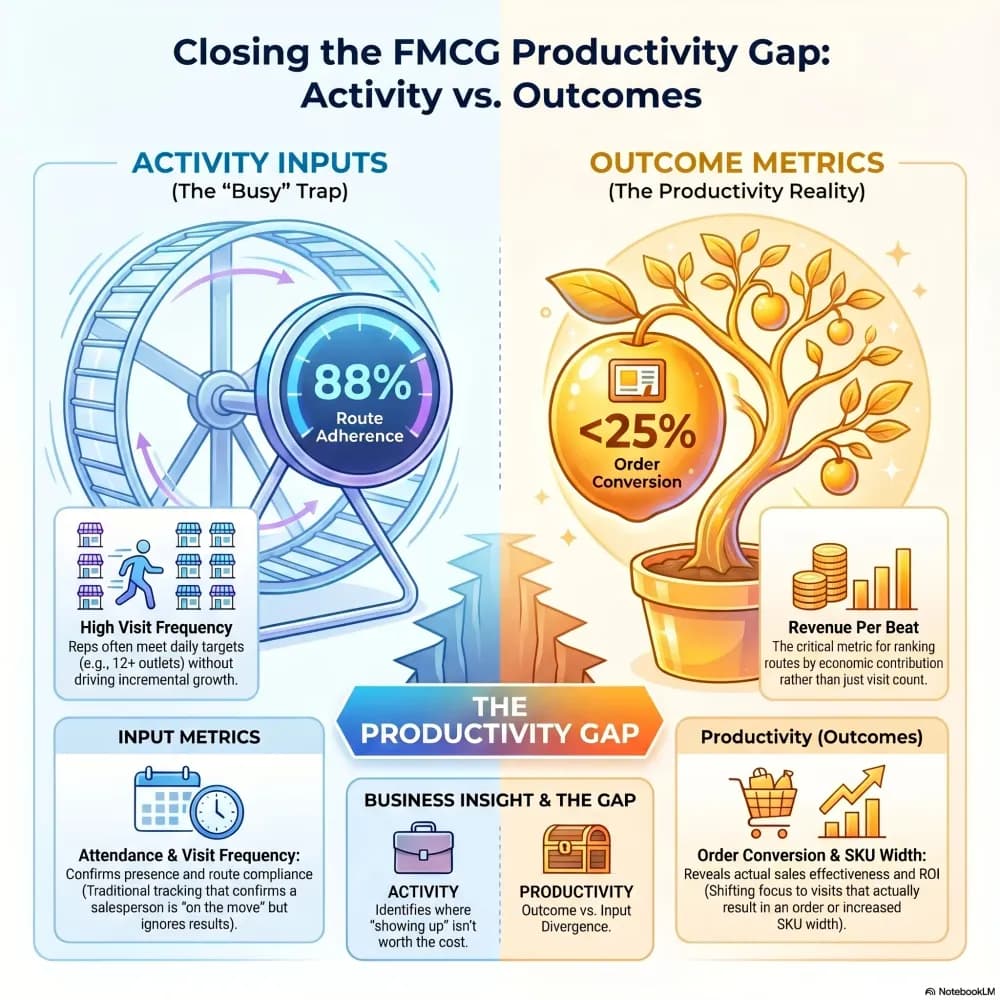
Beat Productivity Analysis: How Top FMCG Brands Optimize Field Force ROI
Your sales team is covering 300 beats a month. But how many of those beats are actually driving orders — and how many are just burning fuel? Here's how the sharpest FMCG brands are figuring that out.

Tally Analytics Dashboards for Indian Businesses
80% of Indian SMBs use Tally. Fewer than 5% have dashboards. Learn how to build real-time P&L, cash flow, and receivables analytics from your Tally Prime data.

What is a KPI dashboard and why does every Indian business need one?
Still piecing together your business numbers from WhatsApp messages and old Excel files? Here is why a KPI dashboard changes everything for Indian businesses.