Quick answer
Natural language to SQL uses AI to convert questions like "Who were my top customers last month?" into SQL queries. The system interprets intent, maps the request to the right schema, generates SQL, and returns the answer without the user needing to write database code.
Natural language to SQL lets users ask questions in plain English and get answers from structured data without writing queries manually. It is one of the fastest ways to bring self-service analytics to non-technical teams.
That's exactly what NLQ to SQL (Natural Language Query to SQL) does. Instead of writing:
SELECT customer_name, SUM(order_amount) as total_revenue
FROM orders
JOIN customers ON orders.customer_id = customers.id
WHERE order_date >= DATE_SUB(NOW(), INTERVAL 1 MONTH)
GROUP BY customer_name
ORDER BY total_revenue DESC
LIMIT 10;
You simply ask: "Who were my top 10 customers last month?"
That is why natural language to SQL matters for business intelligence: it reduces the SQL bottleneck, speeds up ad hoc analysis, and lets business users reach data faster. The key question is not just whether SQL gets generated, but whether it is grounded in the right schema, definitions, and access controls.
New to natural language querying? Start with our complete guide: What is Natural Language Query (NLQ)? to understand the fundamentals. NLQ to SQL is a core capability of modern business intelligence platforms that enables self-service BI without requiring SQL expertise.
When Natural Language To SQL Works Best
- When business users need quick answers from familiar datasets
- When the database schema is well-modeled and consistently named
- When teams want self-service BI without expanding analyst headcount
- When dashboards and follow-up questions need to happen in the same workflow
How Natural Language to SQL Conversion Works
Step 1: Question Understanding
The AI first analyzes your natural language question to understand:
- Intent: What information are you looking for?
- Entities: Which data tables and columns are relevant?
- Filters: What conditions or constraints apply?
- Aggregations: Do you need sums, averages, counts, etc.?
For example, the question "Show me sales by region this quarter" contains:
- Intent: Display sales data
- Entity: Sales table, Region column
- Filter: Current quarter
- Aggregation: Group by region
Step 2: Schema Mapping
The system maps your question to the database schema:
- Identifies relevant tables (e.g., 'sales', 'customers', 'products')
- Finds matching columns (e.g., 'amount', 'region', 'date')
- Understands relationships between tables (JOINs)
- Recognizes data types and formats
Step 3: SQL Generation
The AI generates optimized SQL queries:
SELECT region, SUM(amount) as total_sales
FROM sales
WHERE date >= '2026-01-01' AND date < '2026-04-01'
GROUP BY region
ORDER BY total_sales DESC;
Step 4: Query Execution
The generated SQL is executed against your database, and results are returned in a user-friendly format. This entire process happens automatically when you use Natural Language to SQL technology.
Key Technologies Behind Natural Language to SQL
Natural Language Processing (NLP)
NLP algorithms parse and understand human language:
- Tokenization: Breaks sentences into words
- Named Entity Recognition: Identifies entities (dates, numbers, names)
- Dependency Parsing: Understands sentence structure
- Semantic Analysis: Determines meaning
Machine Learning Models
Trained models learn patterns from thousands of question-query pairs:
- Sequence-to-Sequence Models: Convert questions to SQL
- Transformer Architecture: Understands context and relationships
- Fine-tuning: Adapts to your specific database schema
Schema Understanding
The system maintains knowledge of your database:
- Table structures and relationships
- Column names and data types
- Business logic and constraints
- Common query patterns
Benefits of Natural Language to SQL
For Business Users
- No SQL Knowledge Required: Ask questions in plain English
- Faster Insights: Get answers in seconds, not hours
- Self-Service Analytics: No need to wait for IT or data teams
- Natural Interaction: Use familiar language, not code
For Organizations
- Democratized Data Access: Everyone can query data
- Reduced IT Burden: Fewer requests for custom reports
- Faster Decision Making: Real-time answers to business questions
- Better Data Utilization: More people using data = more value
Common Natural Language to SQL Examples
Example 1: Sales Analysis
Question: "What were my top 5 products by revenue last month?"
Generated SQL:
SELECT product_name, SUM(revenue) as total_revenue
FROM sales
WHERE date >= DATE_SUB(CURRENT_DATE, INTERVAL 1 MONTH)
GROUP BY product_name
ORDER BY total_revenue DESC
LIMIT 5;
Example 2: Customer Insights
Question: "How many customers did we acquire in Q4 2024?"
Generated SQL:
SELECT COUNT(*) as new_customers
FROM customers
WHERE signup_date >= '2024-10-01'
  AND signup_date < '2026-01-01';
Example 3: Trend Analysis
This pattern maps directly to trend analysis in BI — asking how a metric moves over time.
Question: "Show me monthly sales trends for the past year"
Generated SQL:
SELECT
  DATE_FORMAT(date, '%Y-%m') as month,
  SUM(amount) as monthly_sales
FROM sales
WHERE date >= DATE_SUB(CURRENT_DATE, INTERVAL 1 YEAR)
GROUP BY month
ORDER BY month;
Challenges and Limitations
Ambiguity Handling
Sometimes questions can be interpreted multiple ways:
- "Sales this month" - Which timezone? Which currency?
- "Top customers" - By revenue? By order count? By profit?
Solution: The AI asks clarifying questions or uses context from previous queries.
Complex Queries
Very complex analytical queries may require:
- Multiple subqueries
- Advanced window functions
- Complex aggregations
Solution: The system can handle most common business queries and may suggest breaking complex questions into simpler ones.
Schema Changes
When database structure changes, the NLQ system needs updates:
- New tables or columns
- Renamed fields
- Changed relationships
Solution: Modern NLQ systems can adapt to schema changes automatically or with minimal configuration.
How FireAI Implements Natural Language to SQL
FireAI's Natural Language to SQL engine is specifically designed for business intelligence:
- Pre-trained Models: Trained on thousands of business questions
- Schema Learning: Automatically learns your database structure
- Context Awareness: Remembers previous questions in a session
- Error Handling: Provides helpful suggestions if a query fails
- Result Visualization: Automatically creates charts and graphs for executive dashboards
NLQ to SQL powers self-service BI capabilities that make data analysis accessible to business users. For Indian businesses using Tally ERP, NLQ enables natural language queries against Tally analytics data without SQL knowledge.
Best Practices for Using Natural Language to SQL
Ask Clear Questions
Good: "What were total sales in Mumbai last quarter?"
Vague: "Sales stuff"
Be Specific
Good: "Show me top 10 customers by revenue in 2024"
Ambiguous: "Best customers"
Use Business Terms
Good: "Revenue", "Profit Margin", "Customer Acquisition"
Technical: "SELECT SUM(amount) FROM..."
Future of Natural Language to SQL
The technology is rapidly evolving:
- Better Accuracy: Models getting smarter with more training data
- Multi-language Support: Ask questions in any language
- Voice Queries: Speak your questions instead of typing
- Predictive Queries: AI suggests questions you might want to ask
- Automated Insights: System proactively identifies trends and anomalies
Ready to act on your data?
See how teams use FireAI to ask in plain language and get analytics they can trust.
Explore FireAI workflows
Go from this topic into product features and solution paths that match what you read here.
Topic hub
AI Analytics
Guides on natural language querying, AI-powered analytics, forecasting, anomaly detection, and automated insights.
Explore hubFrequently asked questions
Related in this topic
7 Best BI Tools in India (2026)
Compare the best business intelligence tools for Indian businesses in 2026. See pricing features and which BI platform fits SMBs mid-market and enterprise.
Cloud BI vs On-Premise BI: Key Differences
Compare cloud BI vs on-premise BI on pricing, security, control, and total cost. See pros and cons for Indian businesses choosing a deployment model.
Tally Analytics: Turn Tally Data into Dashboards & Reports
Get AI-powered analytics and dashboards from Tally Prime data without SQL. FireAI connects to Tally for live GST, sales, inventory, and P&L—no spreadsheet exports.
What is Text to SQL? How It Works, Examples, and Tools
Text to SQL converts natural language questions into SQL queries automatically using AI. Learn how text-to-SQL works, see real examples, and discover tools that enable anyone to query databases without SQL knowledge.
From the blog
10 Questions Every D2C Brand Should Ask Their Data
A simple guide for marketers to move from gut-based decisions to AI-driven insights. Learn how to use data and AI to make smarter, faster marketing choices.
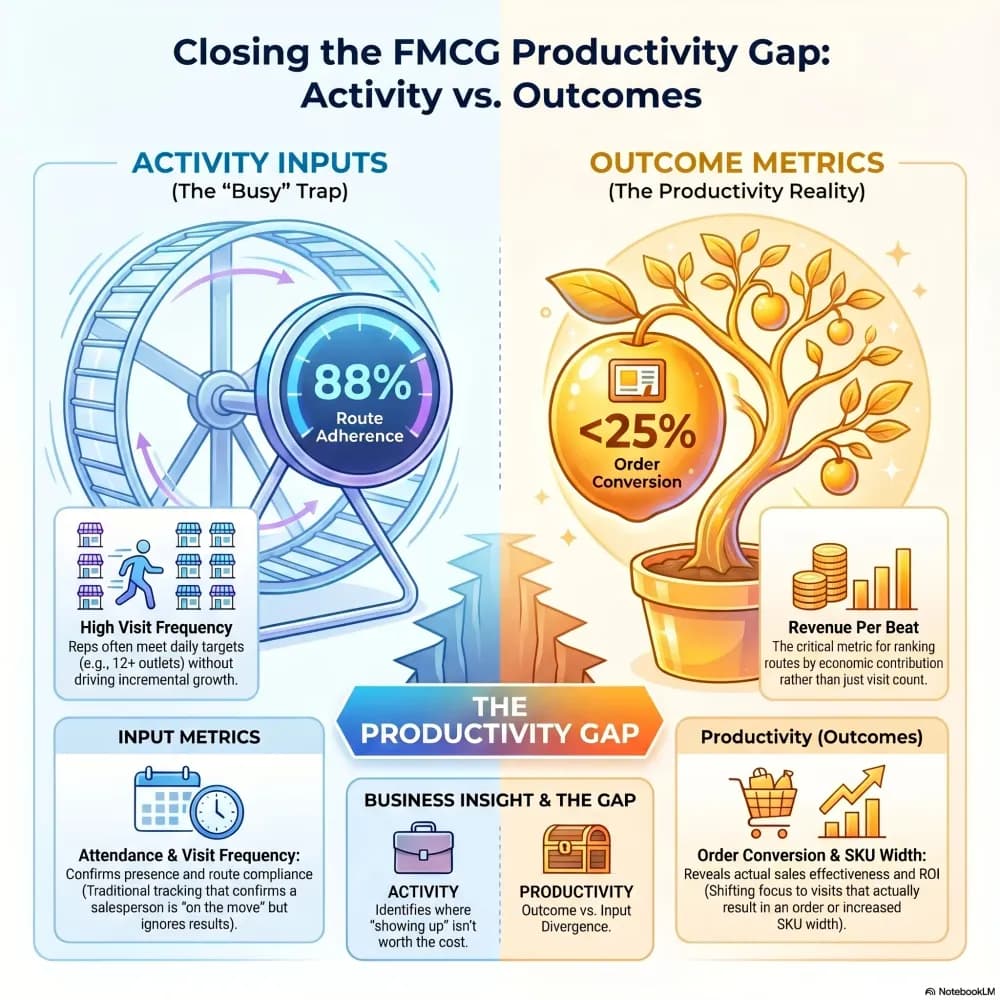
Beat Productivity Analysis: How Top FMCG Brands Optimize Field Force ROI
Your sales team is covering 300 beats a month. But how many of those beats are actually driving orders — and how many are just burning fuel? Here's how the sharpest FMCG brands are figuring that out.

Why Your Data Presentations Don’t Work And How To Fix Them With an Insight-First Framework
Most companies drown leaders in data but starve them of decisions — because they present metrics instead of insights. This post reveals the consultant’s insight-first framework (and the 15 rules top firms use) to turn dashboards into decisive action.